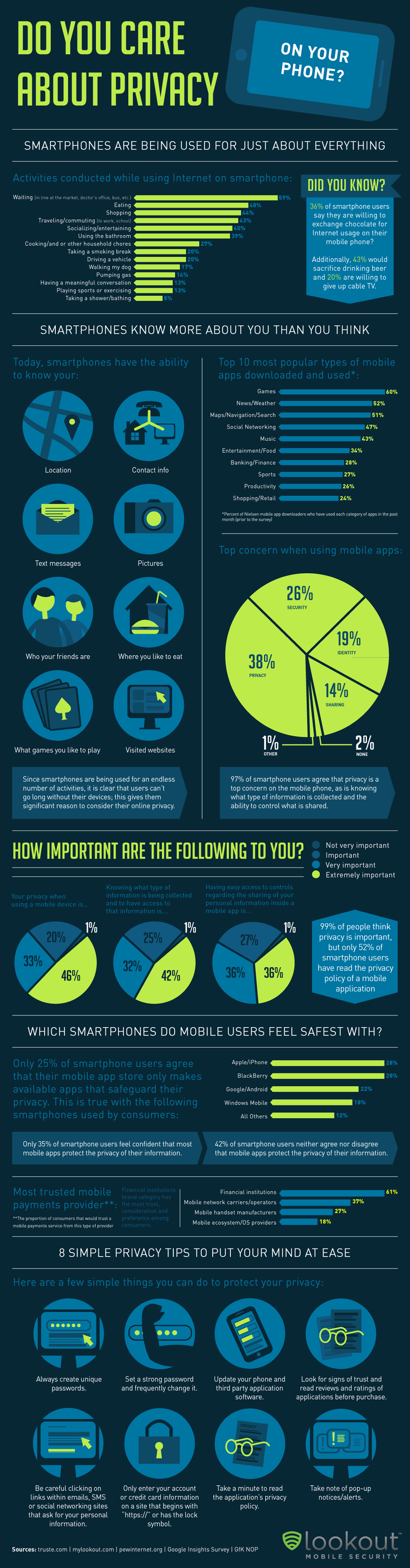
We people today are more concerned about privacy on mobile phones than ever before, but are unclear about what is at risk and how they can protect their privacy. Have a look at the range of personal information on your phone, explain the top privacy concerns and give simple steps you can take to put your mind at ease.
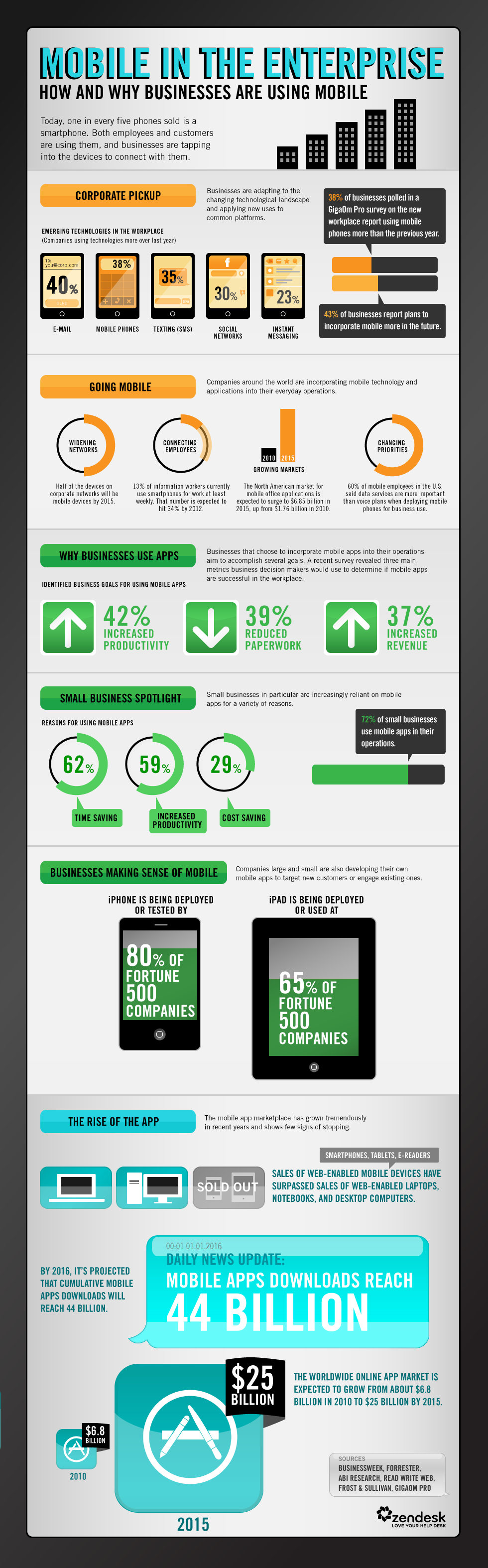
Visualized how mobile applications in the business sphere are the future!. Decision makers now see that these tools increase productivity, reduce paperwork, and increase revenue in ways other devices simply cannot.
Watch this awesome infographic video, “Digital Life: Today and Tomorrow,” created by NeoLabels. If you like to know how the rise of mobile computing, the proliferation of social networking, and the cloudification and appification of our entire technological lives are effecting our day to day life.
The demo showed some of the ways to reimagined the interface for a new generation of touch-centric hardware. Fast, fluid and dynamic, the experience has been transformed while keeping the power, flexibility and connectivity of Windows intact.
A few aspects of the new interface are:
Fast launching of apps from a tile-based Start screen, which replaces the Windows Start menu with a customizable, scalable full-screen view of apps.
Live tiles with notifications, showing always up-to-date information from your apps.
Fluid, natural switching between running apps.
Convenient ability to snap and resize an app to the side of the screen, so you can really multitask using the capabilities of Windows.
Web-connected and Web-powered apps built using HTML5 and JavaScript that have access to the full power of the PC.
Fully touch-optimized browsing, with all the power of hardware-accelerated Internet Explorer 10.